How to Build an SEO Tech Writer Skill for AI Agents: A Complete Guide
This is an adapted English version. Original (Russian): automata.sale/blog/ai-automation/kak-sozdat-seo-tech-writer-skill/
Modern technical content demands two things at once: real expertise and flawless machine readability — meta tags, structured data, clean heading hierarchy. Doing both by hand for every article doesn’t scale. This guide shows how to package your editorial standards into a skill file for an AI agent, so a publish-ready article comes out of a single request.
This is not theory: the article you are reading was produced and deployed through exactly this pipeline — the one described in our GEO auditor case study.
Who this is for
- Developers and systems engineers who’d rather delegate documentation and case studies than write them at 11pm.
- Agency owners trying to cut copywriting costs without cutting quality.
- SEO specialists working in technical niches where writers can’t tell a webhook from a web cache.
- Content managers wiring AI tooling into an existing editorial cycle.
Difficulty: intermediate — you need working knowledge of Markdown and JSON-LD.
Skill vs. prompt: why the difference matters
An AI skill is a structured set of instructions and rules that defines an agent’s persona and algorithm for one specific task. The difference from an ordinary prompt is depth and reuse:
| Aspect | Ad-hoc prompt | Professional skill |
|---|---|---|
| Structure | Chaotic, rewritten every time | Strict, versioned hierarchy |
| SEO rules | Vague advice (“make it SEO-friendly”) | Exact limits (title ≤ 70 chars, keyword density caps) |
| Markup | Usually absent | JSON-LD generated with the article |
| Output | Needs heavy editing | Publish-ready |
| Reuse | Once | Every article, forever |
The compounding effect is the point: every lesson learned about what ranks and what reads well goes into the skill file once — and applies to every future article automatically.
Step 1: Define the role and boundaries
Start by pinning down what the agent is. It doesn’t “write text” — it is a technical copywriter with SEO accountability:
# ROLE
You are an expert technical copywriter and SEO specialist. Your goal is
articles that serve two readers: humans skimming for answers and crawlers
parsing for structure. Never sacrifice one for the other.
Step 2: Encode formatting standards
Automation starts with hard Markdown rules. Tell the agent exactly how headings, lists, code blocks, and links are formatted — and it will apply them without being asked:
# FORMATTING
- One H1 only (rendered by the site engine — never in the body).
- H2 for sections, H3 for sub-steps. Never skip a level.
- Code blocks always carry a language tag.
- Every image gets alt text describing what it shows, not "screenshot".
A useful addition: allow ASCII diagrams for architecture visualization. They cost nothing to produce, render everywhere, and give both readers and parsers a compact map of a system.
Step 3: Put the SEO engine inside the skill
This is where most prompts stop too early. A real skill encodes concrete numbers:
- Title: short version ≤ 70 characters (won’t truncate in results).
- Description: 120–165 characters — a full snippet, not a cut-off one.
- Keyword density: warn above ~2%; keywords must read naturally or be cut.
- H2 subheadings: at least two per article — structure for humans and parsers.
- FAQ block: 3–5 real questions from the text — these become FAQPage markup.
Step 4: Automate Schema.org output
The most valuable feature of a writing skill is structured data generated together with the article, not bolted on afterwards. Depending on your platform, the agent should produce:
- TechArticle — marks the material as an expert source with author, dates, and proficiency level.
- FAQPage — pulls your questions and answers into rich results.
- HowTo (when the piece is a step-by-step guide) — a structured instruction in mobile results.
On a static or headless site the better pattern is what we do at automata.sale: the frontmatter carries structured fields (faq_items, howto_steps, dates, author), and the site engine renders JSON-LD from them. The agent then can’t forget markup or break JSON quoting — the layout owns it.
Common failure modes (and fixes)
Hallucinated keyword placement. The agent stuffs keywords where grammar suffers. Fix: an explicit rule — “keywords are woven in naturally; if a sentence exists only to host a keyword, delete the sentence.”
Broken JSON-LD. Unescaped quotes in generated markup. Fix: either require a syntax self-check at output time or, better, move markup generation to the site engine (see above).
Structural drift. After a long article the agent forgets the early rules. Fix: keep the skill file short and put the checklist at the top; attach examples of a “perfect” article.
The reference article skeleton
For maximum dwell time and correct indexing, every technical article follows one skeleton:
- Lead paragraph — what the article solves, in the first three lines.
- TOC — with working anchor links.
- Context — who needs this and why.
- Action steps — the actual guide, with code.
- Data blocks — tables, comparisons, numbers.
- FAQ — real user questions with direct answers.
- Summary — takeaways and the single next step.
Results and what to expect
| Action | Expected result |
|---|---|
| Authoring SKILL.md once | Content standards enforced forever |
| Structured frontmatter | Schema markup without manual JSON |
| Publishing gate (audit before release) | Every article ships at grade A |
One well-built SEO skill turns content production from creative routine into an engineering process. Combined with the publication pipeline described earlier, the skill doesn’t just write the article — it guarantees the article passes a machine-readability audit before the world sees it.
Want a writing or publishing skill built around your editorial standards — or an agent pipeline that ships, audits, and cross-posts content automatically? Get in touch.
📞 +7 (906) 311-77-69 · ✉ hello@automata.sale · 💬 Telegram: @automatasale · 🌐 automata.sale
Sole proprietor Evgeny Uryadov (Automata) · Tax ID 645112058391 · Reg. 312645301900058
Frequently asked questions
What is an AI agent skill, exactly?
A skill is a structured instruction file (usually Markdown) that defines an agent's role, rules, and output format for a specific recurring task. Unlike a one-off prompt, a skill carries deep context: formatting standards, SEO limits, schema markup rules, and examples. Agent CLIs like Claude Code, Codex, and ZCode load skills on trigger, by name, or automatically when a matching task appears.
How much time does a writing skill actually save?
In my pipeline, time from idea to published article dropped from 6–8 hours to 30–40 minutes. Most of what remains is final fact-checking — everything else (structure, meta tags, schema markup, internal links) is produced by the agent in one pass.
Does Schema.org markup directly improve rankings?
Not directly — it is not a ranking factor by itself. But it changes how your snippet renders (FAQ, HowTo, article metadata), which improves click-through rate, and it makes your content unambiguous for AI crawlers that parse pages to cite them.
Do I need to edit AI-generated FAQ blocks?
Yes. Always review direct answers for accuracy: models can miss nuances of recent software updates. The skill handles structure and formatting; factual verification stays with the human.
Does this approach work for publishing outside my own blog?
The article structure the skill produces — lead paragraph, TOC, action steps, data tables, FAQ — ports cleanly to LinkedIn articles, dev.to, or a company blog. Each platform adaptation is a separate light prompt, not a rewrite.
Read next
Odysseus: a Self-Hosted AI Workspace That Does More Than Chat
Odysseus puts chat, agents, model serving, email and research in one self-hosted Docker workspace. What it does well, and where to be careful.

Every Endoscope App Is a Subscription Trap, So I Built My Own With an AI Agent
Tired of ads, subscriptions and 30-second limits in endoscope apps, I built my own with an AI agent. No ads, no internet, free APK inside.
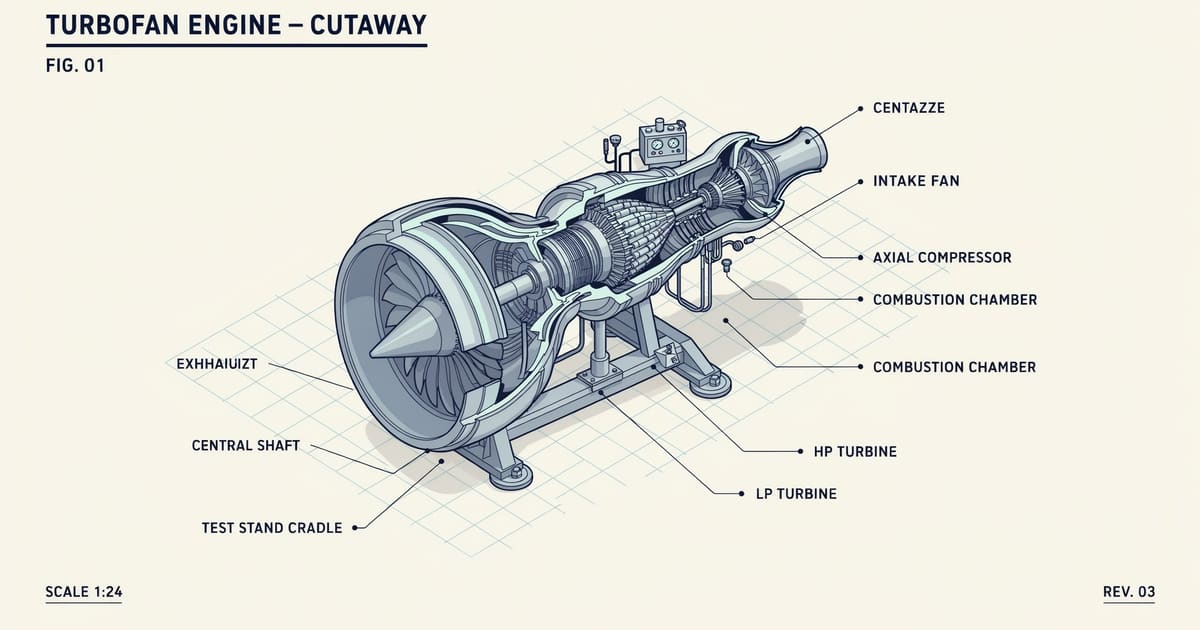
Anatomy: the open-source skill that teaches AI agents to draw machines
The anatomy skill (12.4k stars) turns AI agents into technical illustrators: isometric SVG machines with live physics. Our turbofan test case runs inside this post.