A CRM That Does Its Own Bookkeeping: From AI Agent Session to Client Invoice
This is an adapted English version. Original (Russian): automata.sale/blog/ai-automation/automata-crm-avtomaticheskiy-uchet-raboty-i-scheta/

Agencies and freelancers share a classic leak: the work gets done but never makes it into the books. Hours go unrecorded, an invoice goes unbilled, a reminder goes unsent — and at month’s end, revenue quietly falls short. In our shop, where a large share of the work is performed by AI agents, that leak would be a chasm. So we closed it with automation: in AUTOMATA-CRM, work tracking and invoicing form a chain with zero manual entry. Here is how the loop closes.
The accounting loop: session → task → hours
A typical job — site fixes, an integration, a license renewal — runs inside an agent session in the project folder. The old ritual afterwards was an act of memory: recall the session and type the hours into the CRM. Now sessions record themselves:
- A hook on every agent turn. When a turn completes, the agent runtime appends a fact to the CRM queue: which session, which project, when it started and ended. It’s a dumb counter — it decides nothing, but it loses nothing.
- The “log work to CRM” skill. On command — or during the evening queue sweep — an AI agent reads the session context and composes a task card: the client (derived from the project folder), the hours (from session duration), the description of what was done. A human confirms in one line, and the task closes with status
doneand hours written off. - Live quota checks. For retainer clients, the system knows the monthly hour quota and time already spent before anything is written off — and warns about overruns before they hit the ledger.
If a session somehow misses the queue, the agent reconstructs the work from the session ID and files the task retroactively. “Forgot to log it” stops being a category.
Invoices go out on their own
Recorded hours aren’t money yet, so billing takes over — and it’s automatic too:
- Retainers. Once a month, invoices are generated in batch per client plan: the system knows the quota, written-off tasks, and the overrun rate. Generation runs as a stream with a live log — you see which clients got their invoice and which lack a plan.
- One-off work (T&M). For a client without a retainer, an invoice assembles from the dashboard in a minute: line items, totals, billing details from the client card, automatic numbering. The hours of closed tasks are already sitting in the CRM — you press one button.
- Delivery and reminders. The bank generates the invoice PDF via API, the client email goes out from a template with billing details, reminders land in messenger. Payments are reconciled against the bank statement automatically, and the invoice status in the CRM updates itself.
The client-facing paperwork is automated the same way: the statement of work and the contract are generated from a template with an appendix library, with billing details and the signatory pulled from the client card, exported to DOCX and PDF.
Why a human is still in the loop
Automating money requires care, so the loop has exactly one manual point — confirmation. The system never writes off hours silently: it proposes the client, the volume, and the summary, grounded in facts from the session. A human glances for five seconds and says yes — or edits. Everything else — capture, numbering, document generation, delivery, payment reconciliation — happens without a person.
This design delivers two things manual bookkeeping can’t offer simultaneously: completeness (agent work is accounted for as strictly as human work — the queue forgets nothing) and honesty (hours are backed by session facts, not by memory at month’s end).
What it changes day to day
No wow-percentages, just daily life: finish a session — a task is already proposed; confirm it — the hours are in the support report; the month turns over — the invoice is with the client; payment arrives — the CRM status updates itself. Between “work done” and “money in the account” there is not a single step that requires remembering anything.
If your business runs on hourly work or retainers, this is exactly the routine layer to automate first. We build accounting and billing loops like this around a customer’s own process — on Obsidian, open tooling, and AI agents.
Want work in your company to track itself and turn into invoices on its own? We design automated CRM and billing on Obsidian and AI agents — from hour tracking to bank integrations. Get in touch to discuss your process.
📞 +7 (906) 311-77-69 · ✉ hello@automata.sale · 💬 Telegram: @automatasale · 🌐 automata.sale
Sole proprietor Evgeny Uryadov (Automata) · Tax ID 645112058391 · Reg. 312645301900058 Working with clients worldwide
Frequently asked questions
How is work performed by an AI agent tracked?
Every agent session lands in an accounting queue automatically: a hook records the project, start and end times, and the number of turns. A separate skill turns that record into a time-tracked task tied to the right client — a human only confirms the result.
Are hours written off fully without human involvement?
No. The system proposes the client, the hours, and the summary — the decision stays human, which is the safeguard where money is involved. But the proposal itself is automatic: nothing to recall or type by hand.
How does a client on retainer get invoiced?
Once a month, retainer invoices are generated in batch: the system knows each client's hour quota, the tasks written off, and the monthly fee. The invoice PDF is generated by the bank via API; the email and the payment reminder go out in one click.
What about one-off work without a retainer?
Those clients run in T&M mode: hours accumulate from closed tasks, and an invoice for one-off services is assembled from the dashboard in a minute — with automatic numbering and the client's billing details.
What if a session never made it into the accounting queue?
Nothing is lost: given the session ID, the agent reconstructs the context of the completed work and creates the task retroactively — with client, hours, and description.
Read next
Odysseus: a Self-Hosted AI Workspace That Does More Than Chat
Odysseus puts chat, agents, model serving, email and research in one self-hosted Docker workspace. What it does well, and where to be careful.

Every Endoscope App Is a Subscription Trap, So I Built My Own With an AI Agent
Tired of ads, subscriptions and 30-second limits in endoscope apps, I built my own with an AI agent. No ads, no internet, free APK inside.
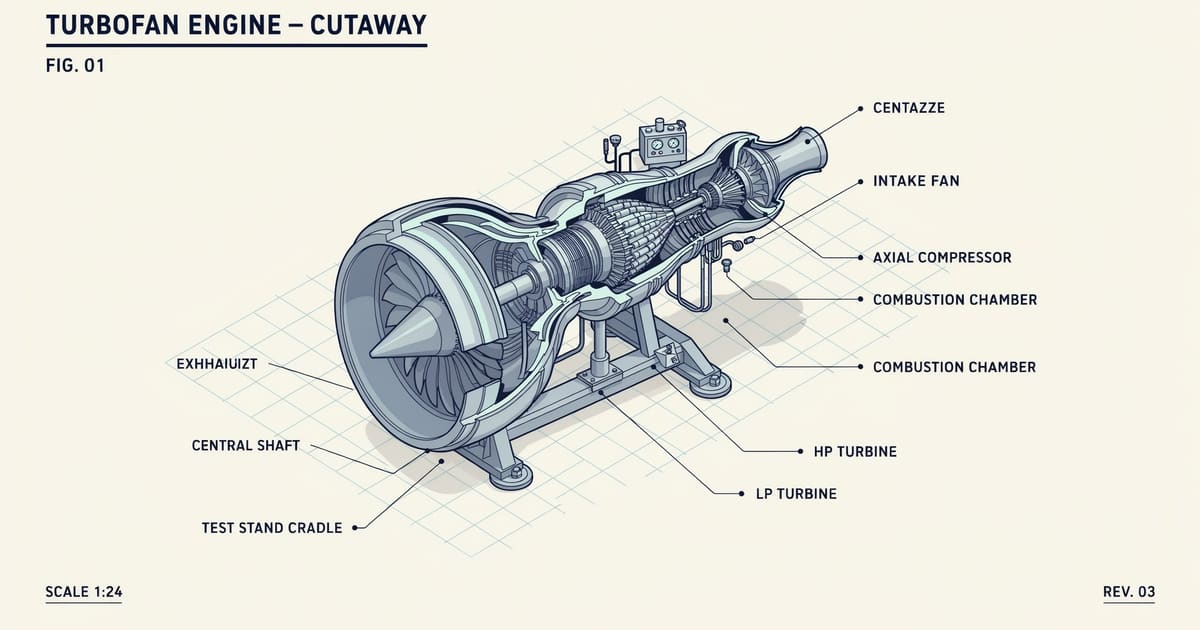
Anatomy: the open-source skill that teaches AI agents to draw machines
The anatomy skill (12.4k stars) turns AI agents into technical illustrators: isometric SVG machines with live physics. Our turbofan test case runs inside this post.